

blog
Azure AD Connect – Completed-Export-Errors – Permission-Issue
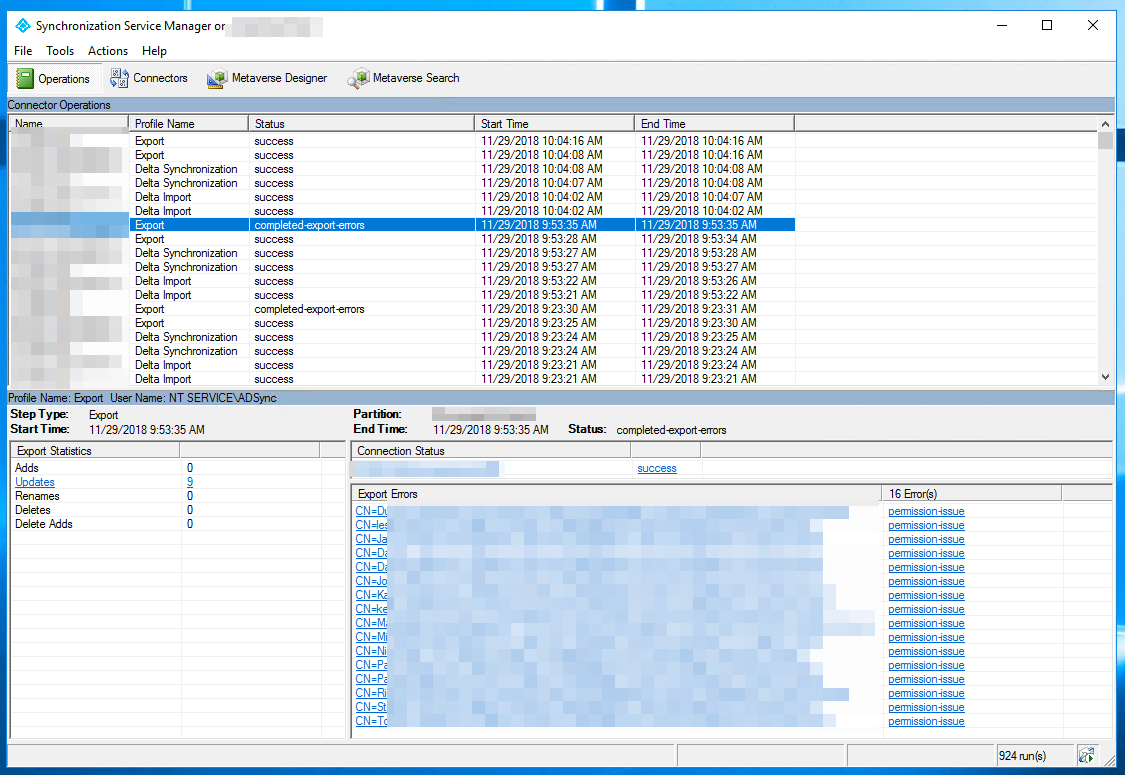
During synchronization between on-premises Active Directory and Office 365 / Azure AD, I ran into a group of objects showing completed-export-errors with permission-issue.
The error gives you a clue, but not the whole story. It tells you something about permissions is wrong, but not immediately where inheritance was broken or which part of the AD path is causing the connector account to lose access.
What this usually means
In practice, this error often points to the account used by Azure AD Connect for directory synchronization not having the rights it expects in Active Directory.
That can happen when:
- inheritance is disabled somewhere in the OU path
- the connector account was never granted the expected writeback permissions
- permissions were changed manually after the original setup
The quick manual check
A practical first step is to open one of the affected objects and inspect its Security settings.
If the synchronization account is missing there, go into Advanced and check whether inheritance is enabled.
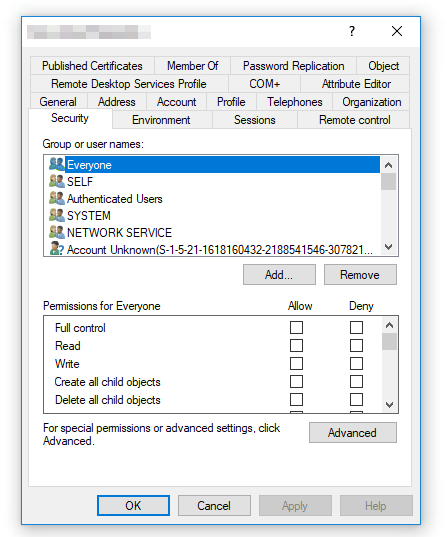
If inheritance is disabled, you often need to walk back up the OU structure and find where permissions stopped flowing.
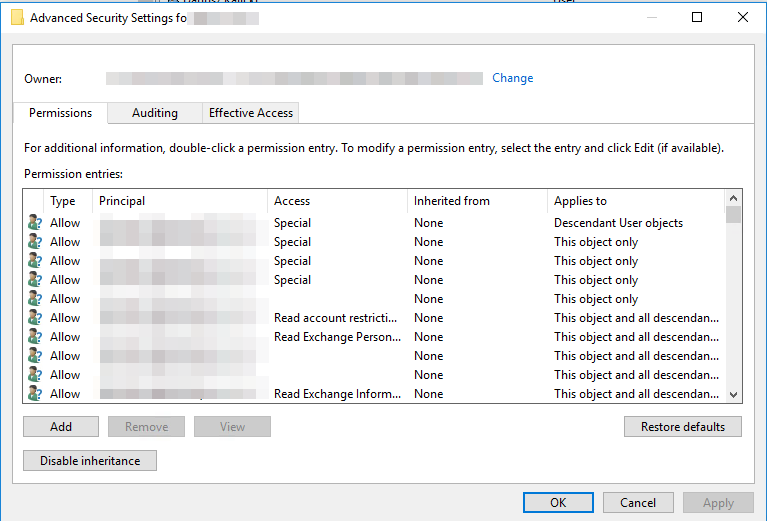
What fixed it in practice
In environments like this, the most common fixes are:
- re-enable inheritance where it was broken unintentionally
- grant the sync account the required permissions on the affected OU structure
- rerun the connector-account permission configuration if the original rights are no longer correct
If you are not fully sure why the permissions were customized, enabling inheritance is often the safer first thing to review before inventing a one-off ACL fix.
Current note
Microsoft now documents this scenario as a permission-issue export error, often with connected data source error code 8344 and the message "Insufficient access rights to perform the operation."
The useful part of the original post still stands: checking the affected object and the OU inheritance chain is a good way to find the break.
What is more explicit in current Microsoft guidance is the preferred fix path: use the Microsoft Entra Connect troubleshooting tools or connector-account permission tooling to grant the required rights, rather than relying only on manual ACL edits. Also, the product naming has changed since this post was written: Azure AD is now Microsoft Entra ID, and Azure AD Connect is now commonly referred to as Microsoft Entra Connect.