

blog
Azure Agent – Where did my space go?
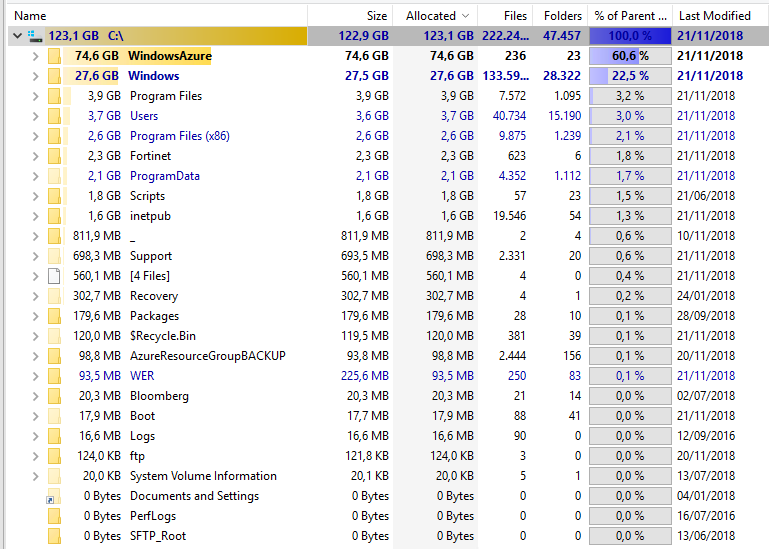
I ran into a case where an Azure VM started losing disk space fast enough to trigger monitoring alerts, but Windows Explorer was not very helpful in explaining where the space had gone.
That is the kind of problem where a directory-size tool can save you a lot of time.
How the problem showed up
A tool like TreeSize made it obvious that the space was disappearing under the C:\WindowsAzure area:
Meanwhile, Explorer showed something much smaller for what looked like the same path:
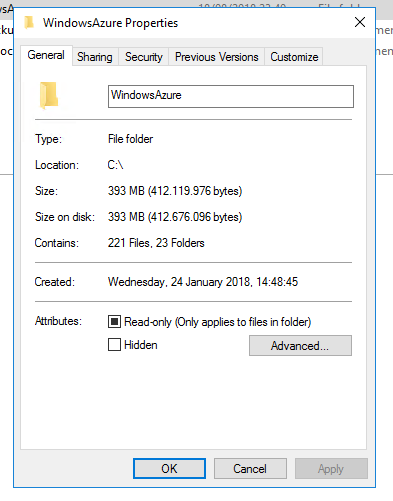
That mismatch is exactly what makes this kind of issue frustrating. The disk is full, but the normal GUI view does not obviously expose the real offender.
What turned out to matter
Looking deeper suggested that one of the ETL files related to the Azure agent stack was effectively consuming the space.
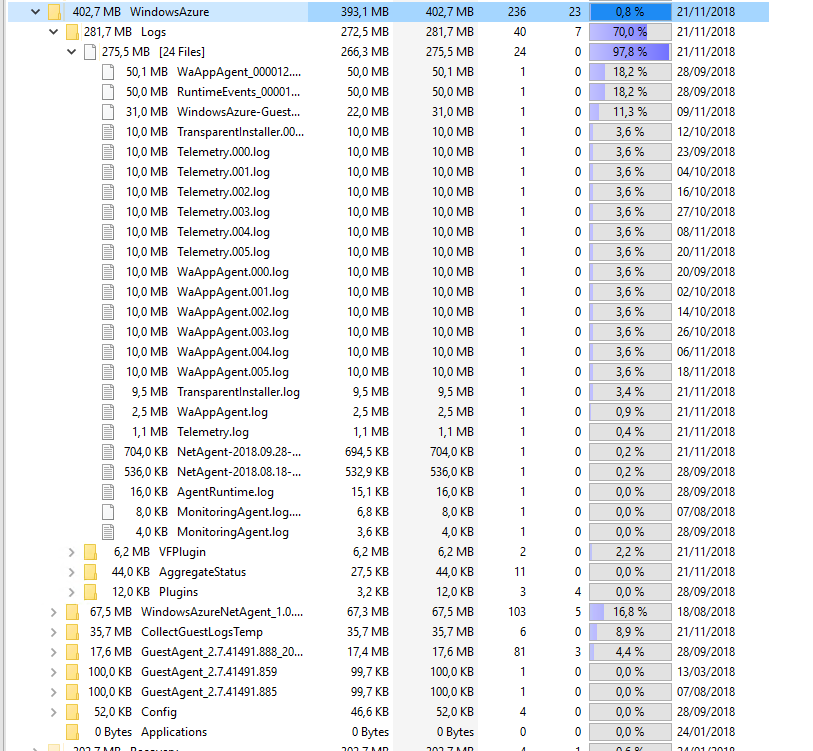
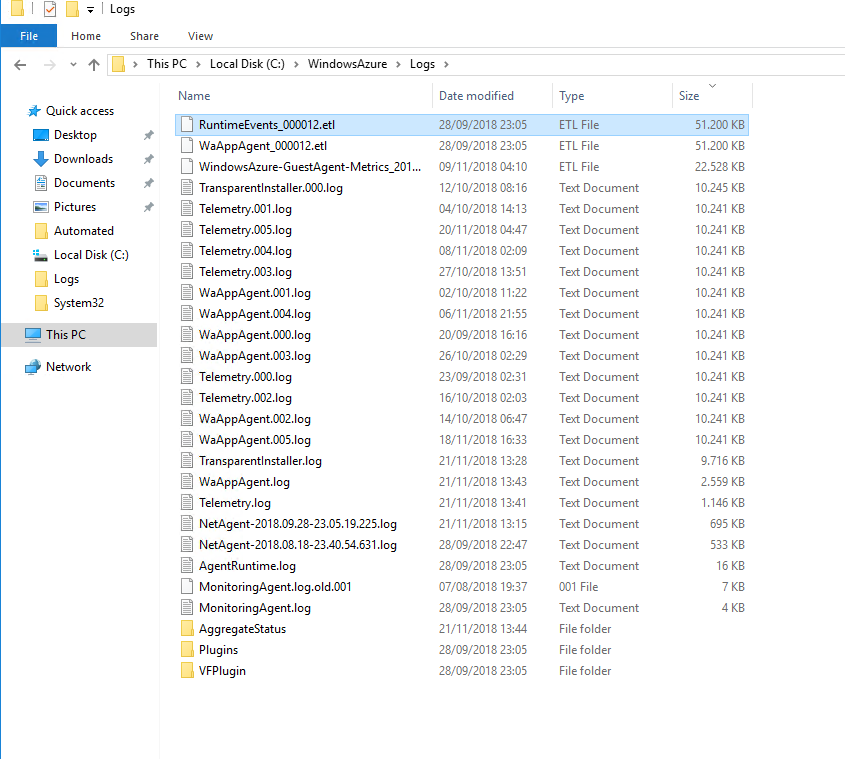
At that point the question stopped being "what folder is large?" and became "which service owns the file and why is it still holding it open?"
What fixed it
The file could not just be deleted because it was in use. After tracing the active process, the path led back to RdAgent.



Restarting that service released the file and immediately reclaimed the space.
Practical takeaway
If an Azure Windows VM starts losing space in a way that Explorer does not explain, do not stop at the normal folder view. Check:
C:\WindowsAzure- Azure guest agent logs and related files
- whether RdAgent or WindowsAzureGuestAgent is holding the files open
This is one of those cases where the right troubleshooting tool matters more than a long theory.
Current note
Microsoft still documents the Azure Windows VM Agent as a core component for Windows VMs in Azure, and they also document that it performs automatic guest log collection. That means the general lesson from this post still holds: if Azure VM agent behavior goes wrong, the C:\WindowsAzure tree is a real place to investigate.
I would treat the exact "restart RdAgent and reclaim tens of gigabytes" result here as an environment-specific incident, not a guaranteed universal fix. But the troubleshooting path remains sound: identify the real file owner, verify the agent processes involved, and then decide whether a service restart, cleanup, or agent repair is the safest next step.