

blog
PowerShellGallery – You are installing modules from an untrusted repository
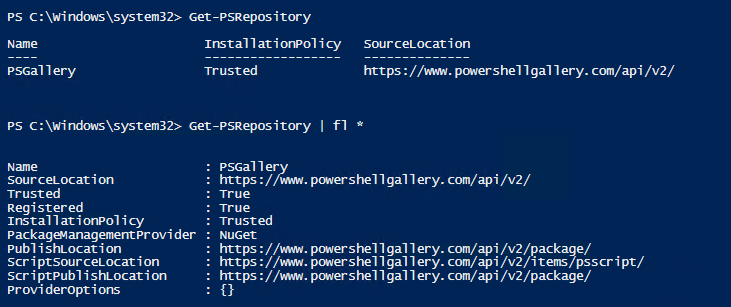
When you start working with PowerShell modules, one of the first annoyances you run into is the repeated prompt asking whether you trust PSGallery. The message is not telling you the gallery is malicious. It simply means your local repository configuration is still marked as Untrusted, so PowerShell asks for confirmation before it installs anything.
Install-Module PSWriteWord -AllowPrerelease

If you install modules often, answering that prompt every time gets old very quickly.
Check the current repository policy
Get-PSRepository
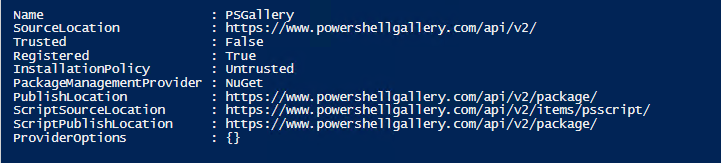
Look at the InstallationPolicy value for PSGallery. If it is set to Untrusted, PowerShell will continue prompting.
Trust PSGallery for PowerShellGet
Set-PSRepository -Name 'PSGallery' -InstallationPolicy Trusted
That is enough for the classic PowerShellGet workflow. The setting is stored for the current user and suppresses future confirmation prompts for that repository.
If you use the newer PSResourceGet commands
On newer systems you may be using PSResourceGet cmdlets instead of Install-Module. In that case, the equivalent command is:
Set-PSResourceRepository -Name PSGallery -Trusted -PassThru
Should you always trust PSGallery?
Usually yes for personal admin work, but it is worth understanding what this switch does and does not do:
- It marks the repository as trusted for your local tooling.
- It removes the confirmation prompt.
- It does not audit the contents of every module for you.
- In a locked-down environment, an internal repository can still be the better choice.
My practical rule is simple: trust the repository only if you already trust your source and you still review what you install.