

blog
Windows 10 – High CPU Usage with EvntAgnt Warning Event ID 3007 in Event Log
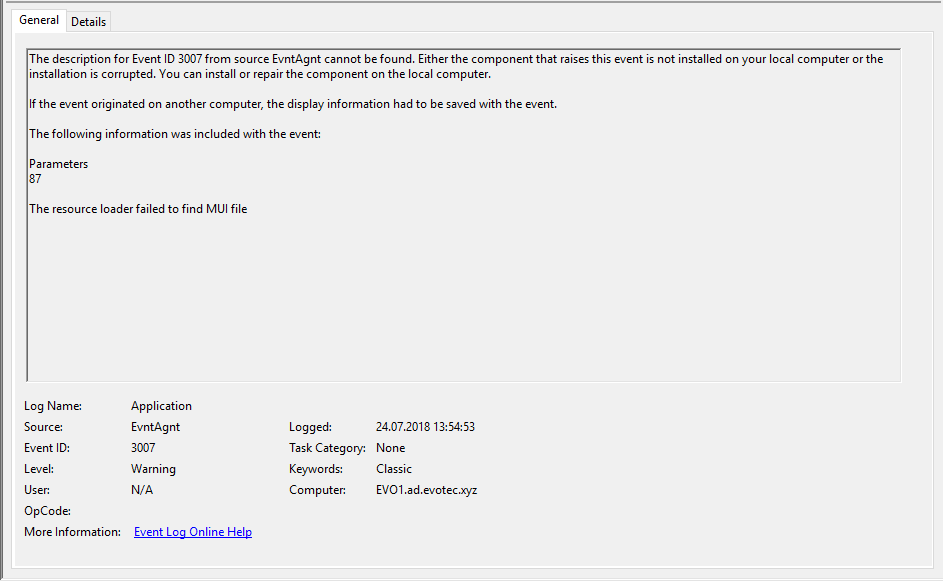
I noticed my PC behaving oddly: CPU was high and Windows Event Log was taking a surprising amount of system resources. At first I assumed it was related to my event-forwarding work, but disabling the forwarders from Domain Controllers changed nothing.
After checking Resource Monitor, I found heavy disk writes to the Application log, which eventually led me to a flood of EvntAgnt warnings with Event ID 3007 looping over and over.
What the symptom looked like
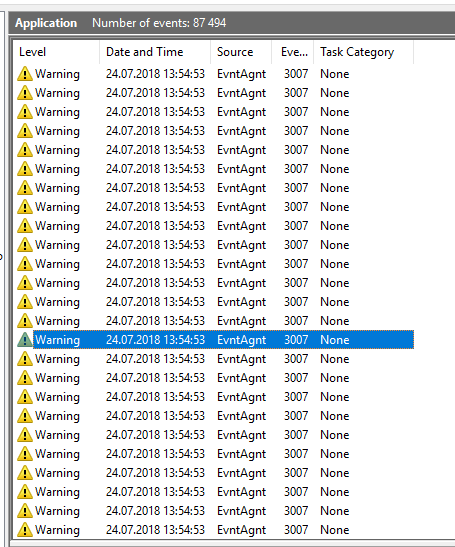
With Event Description
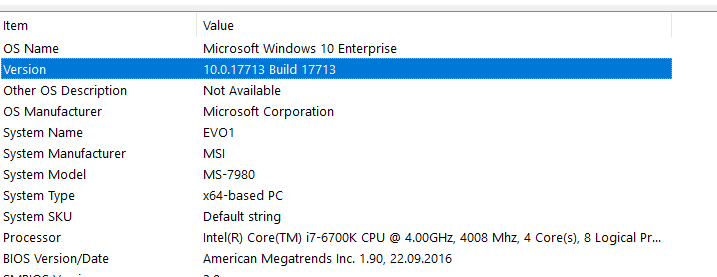
In the original case, this happened on Windows 10 Enterprise 10.0.17713, build 17713, which was an Insider build.
What fixed it for me
The workaround that resolved it on my machine was to disable the SNMP Service:
- Open
services.msc - Find SNMP Service
- Stop the service
- Set it to Disabled

That solved the issue in my case.
Important scope note
I would treat this as a build-specific workaround, not a universal fix for every Event Log CPU problem. The original machine was running an Insider build, so bugs like this are much more likely than on stable releases.
If you see similar symptoms, the key lesson is:
- look at Resource Monitor
- check whether Event Log is doing heavy writes
- inspect the warning flood in Event Viewer
- then identify which service is triggering the noise before you disable anything
In my case, that service was SNMP.