

blog
Windows 10 – No prompt to overwrite when pasting from .zip file
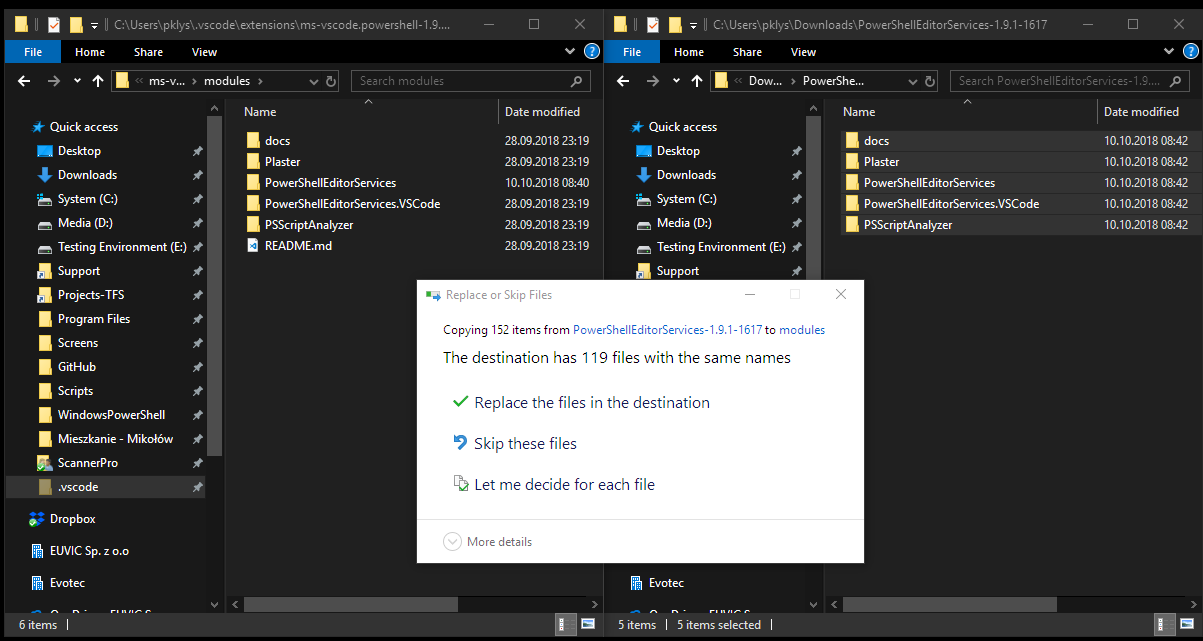
I ran into an odd Windows 10 behavior while copying files directly from a ZIP archive in File Explorer. The destination already contained folders with the same names, so I expected the normal overwrite prompt. Instead, the copy went ahead as if nothing needed confirmation.
That is the kind of thing that can ruin a quick manual deployment or patch if you are relying on Explorer to warn you before replacing content.
What normal folder-to-folder copy looks like
That's how it normally looks like…
What I observed from ZIP
When the source was the built-in Explorer view of a ZIP file, I did not get the same prompt. It simply copied.
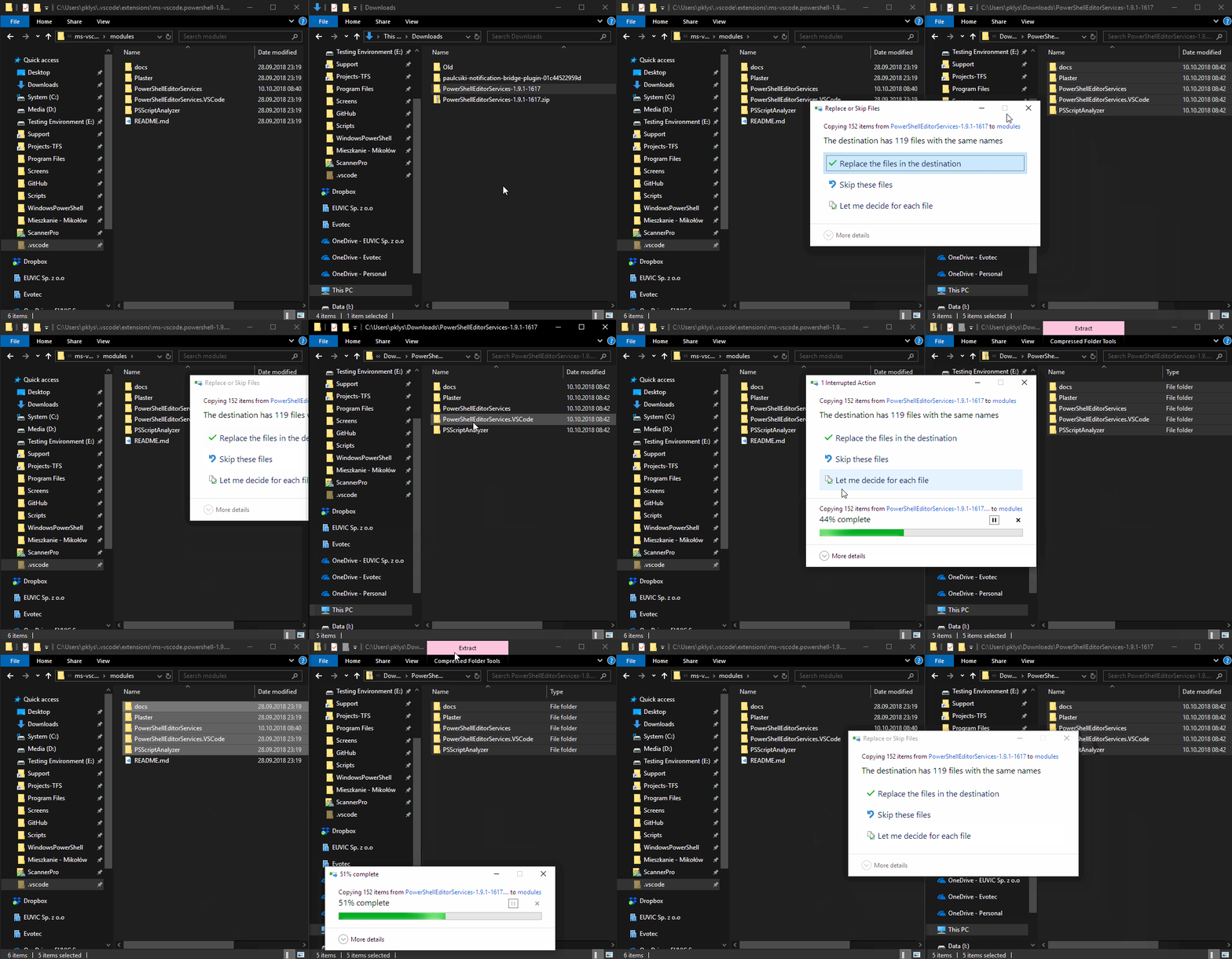
Safer way to handle this
If the contents matter, do not copy directly from the ZIP view into a live folder and assume Explorer will protect you.
A safer approach is:
- Extract the ZIP to a temporary folder first.
- Review the extracted structure.
- Copy from the normal extracted folder into the destination.
That gives you more predictable copy behavior and makes it easier to compare the source and destination before anything is replaced.
Practical advice
- Avoid direct ZIP-to-production-folder copy operations for scripts, configs, or website assets.
- If you are updating existing content, test with a disposable folder first.
- If you need deterministic behavior, use a tool or script that makes collisions explicit instead of relying on Explorer's built-in archive view.
This post describes behavior I observed on Windows 10 version 1809. Even if newer builds behave differently, the workflow advice still stands: extract first, then copy.