

blog
Monitoring BlackLists with PowerShell module
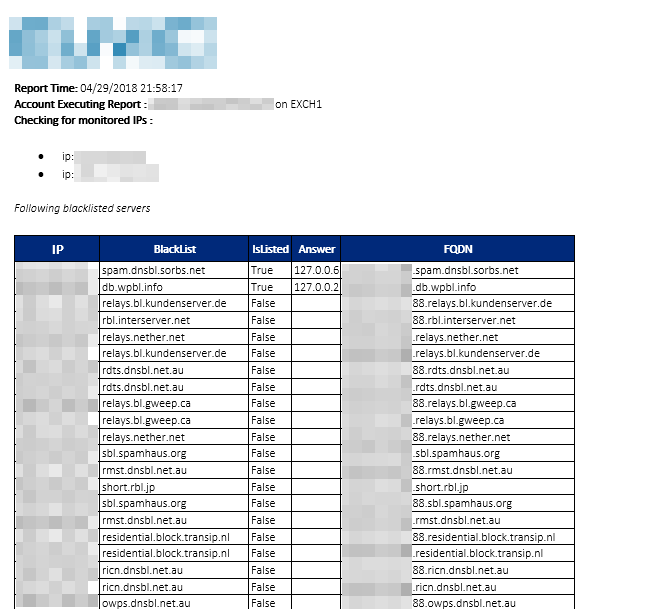
If you run your own outbound SMTP infrastructure, blacklist monitoring is one of those tasks you only ignore once. The first time mail starts getting delayed, junked, or rejected because a sending IP was listed somewhere, you learn very quickly that reactive troubleshooting is not fun.
That is why I wanted something simple, scriptable, and free. There are plenty of services that can do this, and MxToolbox is still one of the better-known options, but sometimes a PowerShell-based workflow fits better into an existing admin toolkit.
What this module does
PSBlackListChecker was built to check whether a given IP address appears on a large collection of DNSBL blacklists and return the results in a format that can be reused in scripts and reports.
The most basic example is checking a single public IP against the configured lists:
Import-Module PSBlackListChecker.psm1

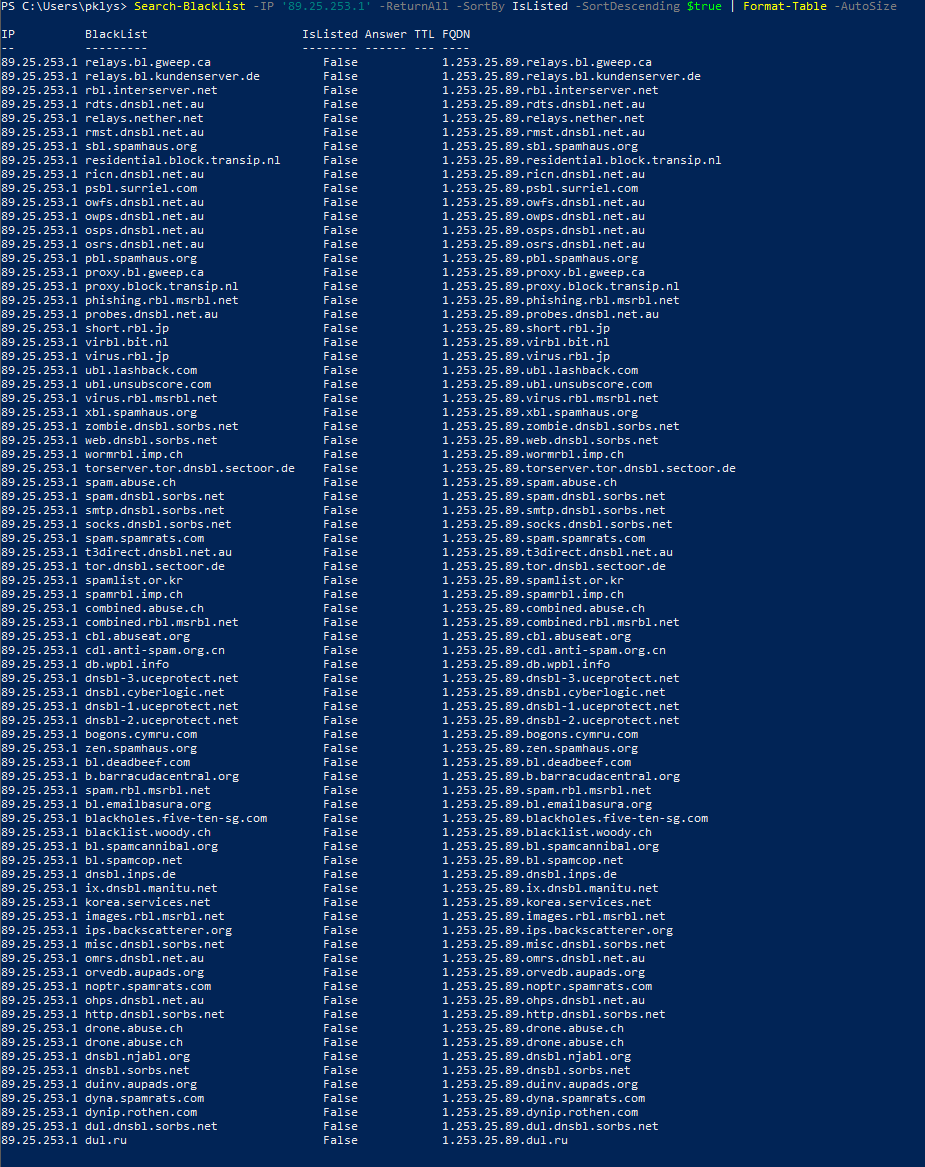
Search-BlackList -IP '89.25.253.1' -ReturnAll -SortBy IsListed -SortDescending $true | Format-Table -AutoSize
That gives you a quick "am I listed anywhere important?" view:
Turning checks into monitoring
Where the module becomes more useful is reporting. You can schedule it to run hourly, daily, weekly, or however often your environment needs. That scheduling is really handled by Task Scheduler or your automation platform, but the module gives you the reporting layer needed to make that worthwhile.
This is especially useful if:
- you run your own mail gateway or relay
- you want an early warning before users report delivery issues
- you need historical visibility instead of one-off spot checks
Current note
Blacklist monitoring still matters, but it should no longer be treated as the whole mail hygiene story.
Today, deliverability and trust also depend heavily on SPF, DKIM, and DMARC alignment, along with the overall reputation of the sending domain and infrastructure. So if you use this kind of monitoring now, think of it as one piece of a broader mail-health checklist rather than the only signal worth watching.
For more information, usage examples, and module details, visit the dedicated PSBlackListChecker page.