
blog
Remove Protect Object setting from Organizational Unit via PowerShell
Sometimes an Organizational Unit refuses to move or delete even when you are a Domain Admin, which makes the error feel misleading at first.
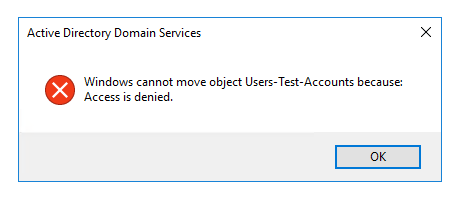
In many cases the reason is simply the Protect object from accidental deletion flag.
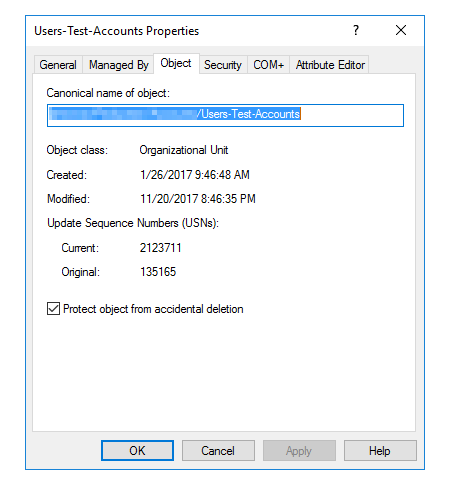
If you only have one OU to deal with, the GUI is fine. If you have a whole branch of legacy OUs to clean up, PowerShell is much faster and much safer because you can review the target list first.
Find protected OUs under a specific branch
Start by listing only the OUs below the part of the tree you care about:
Import-Module activedirectory

# Path to search in for OUs
$searchbase = "OU=Users,OU=Accounts,OU=Production,DC=test,DC=pl"

# Get all OUs that are protected
$protectedOrganizationalUnits = Get-ADOrganizationalUnit -SearchBase $searchbase -Filter * -Properties ProtectedFromAccidentalDeletion |
    Where-Object { $_.ProtectedFromAccidentalDeletion -eq $true }

# Display OUs that are protected
$protectedOrganizationalUnits | Select DistinguishedName, ProtectedFromAccidentalDeletion, Name

# Disable protection
#$protectedOrganizationalUnits | Set-ADOrganizationalUnit -ProtectedFromAccidentalDeletion $false
Why the last line is commented out
That last line is intentionally disabled in the sample. I strongly prefer this pattern for bulk Active Directory changes:
- discover the objects first
- review the result set
- only then enable the write action
It is very easy to target more of the directory tree than you intended if the SearchBase is too broad.
Safer workflow
Before uncommenting the change, consider exporting the result:
$protectedOrganizationalUnits |
    Select-Object DistinguishedName, Name |
    Export-Csv .\ProtectedOUs.csv -NoTypeInformation
That gives you a quick review file before you change anything.
Current note
The Get-ADOrganizationalUnit and Set-ADOrganizationalUnit cmdlets are still documented by Microsoft for current Windows Server PowerShell modules, so this remains a valid way to manage the ProtectedFromAccidentalDeletion setting in bulk.