Support
Obtenez de l’aide, signalez un problème ou consultez la politique de support.
Ouvrir Support

 Console rendering
Tables, trees, charts and live dashboards in the console, from .NET and PowerShell.
ConsoleMonster draws tables, trees, panels, charts and live dashboards in the console from .NET and PowerShell. It has no package dependencies, runs on Windows PowerShell 5.1 and PowerShell 7, and falls back to plain lines when output goes to a log.
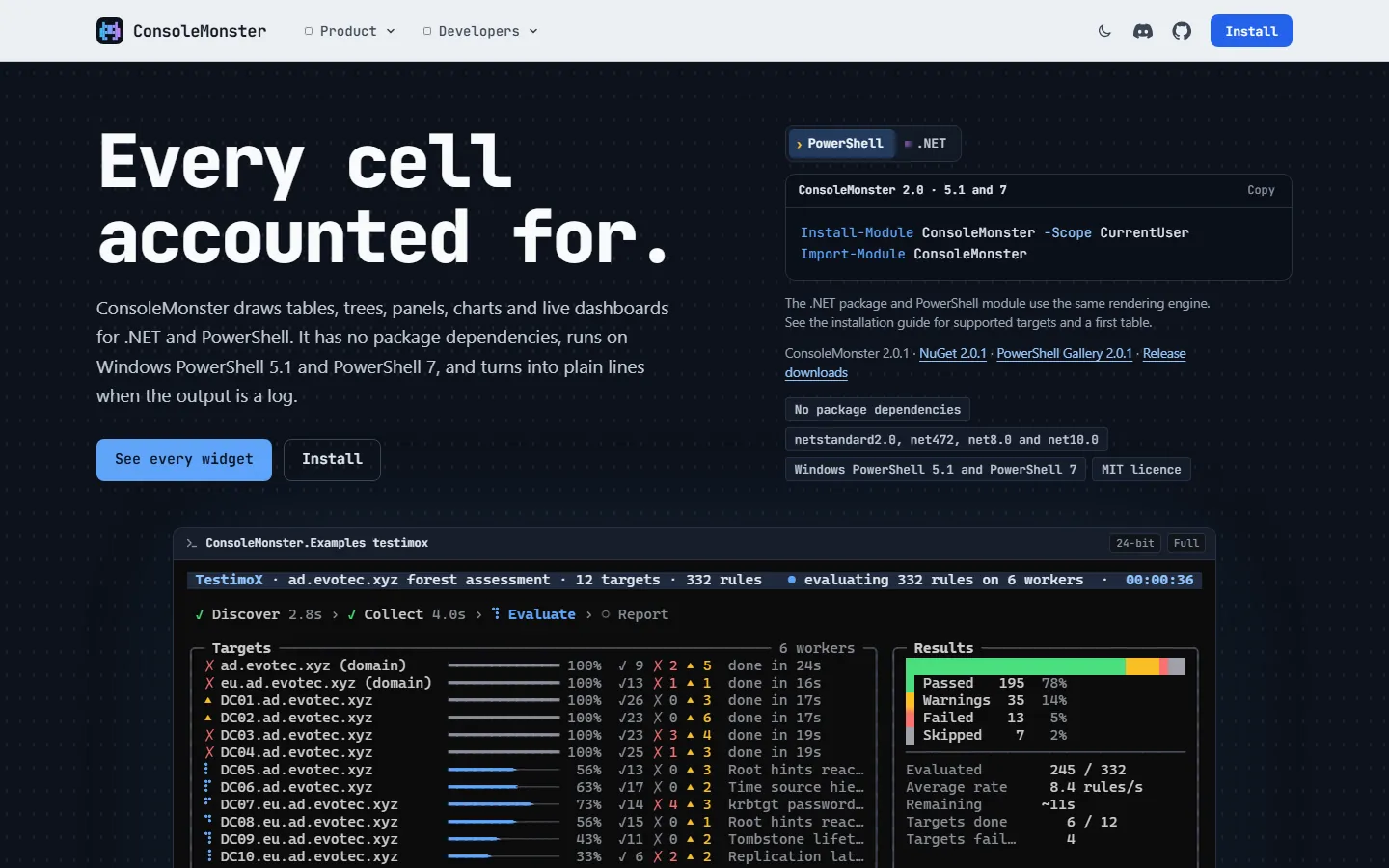 A live assessment dashboard drawn by ConsoleMonster, cell for cell.
Choisissez où l’installer.
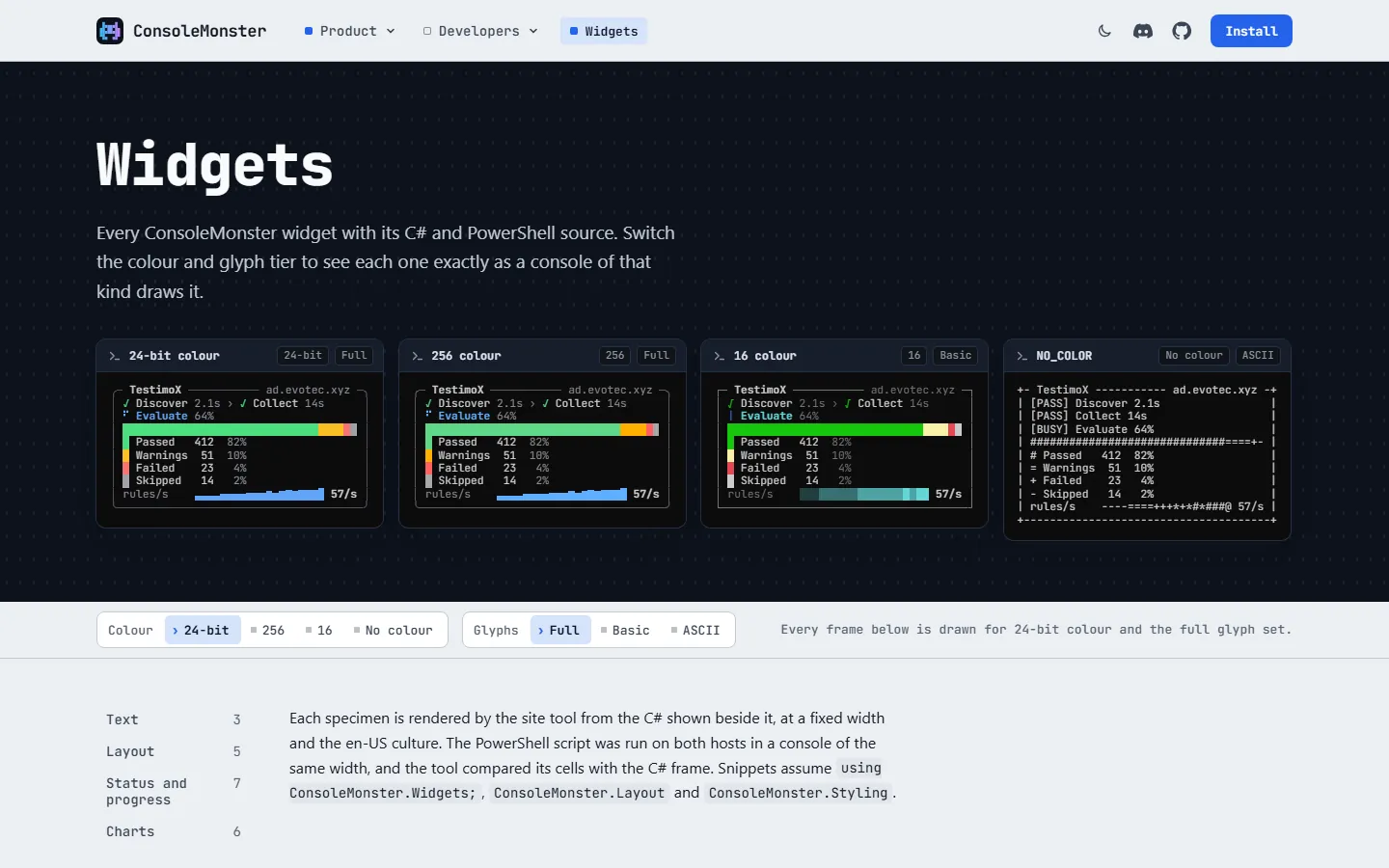
Install-Module ConsoleMonster -Scope CurrentUser dotnet add package ConsoleMonster Tables, trees, panels and charts adapt to colour depth, glyph support and console width.
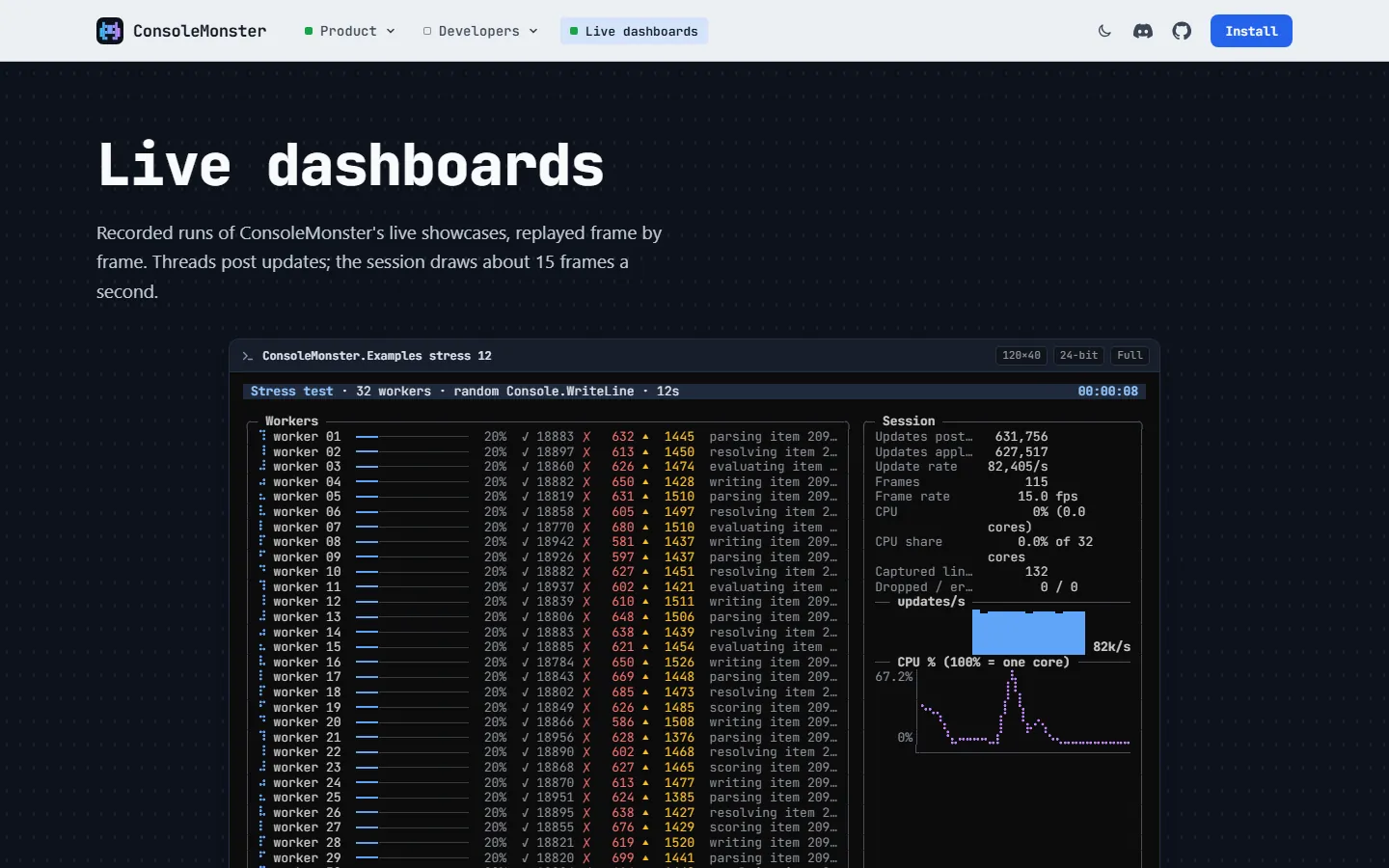
Redraw progress, workers and results in place while a long job runs.
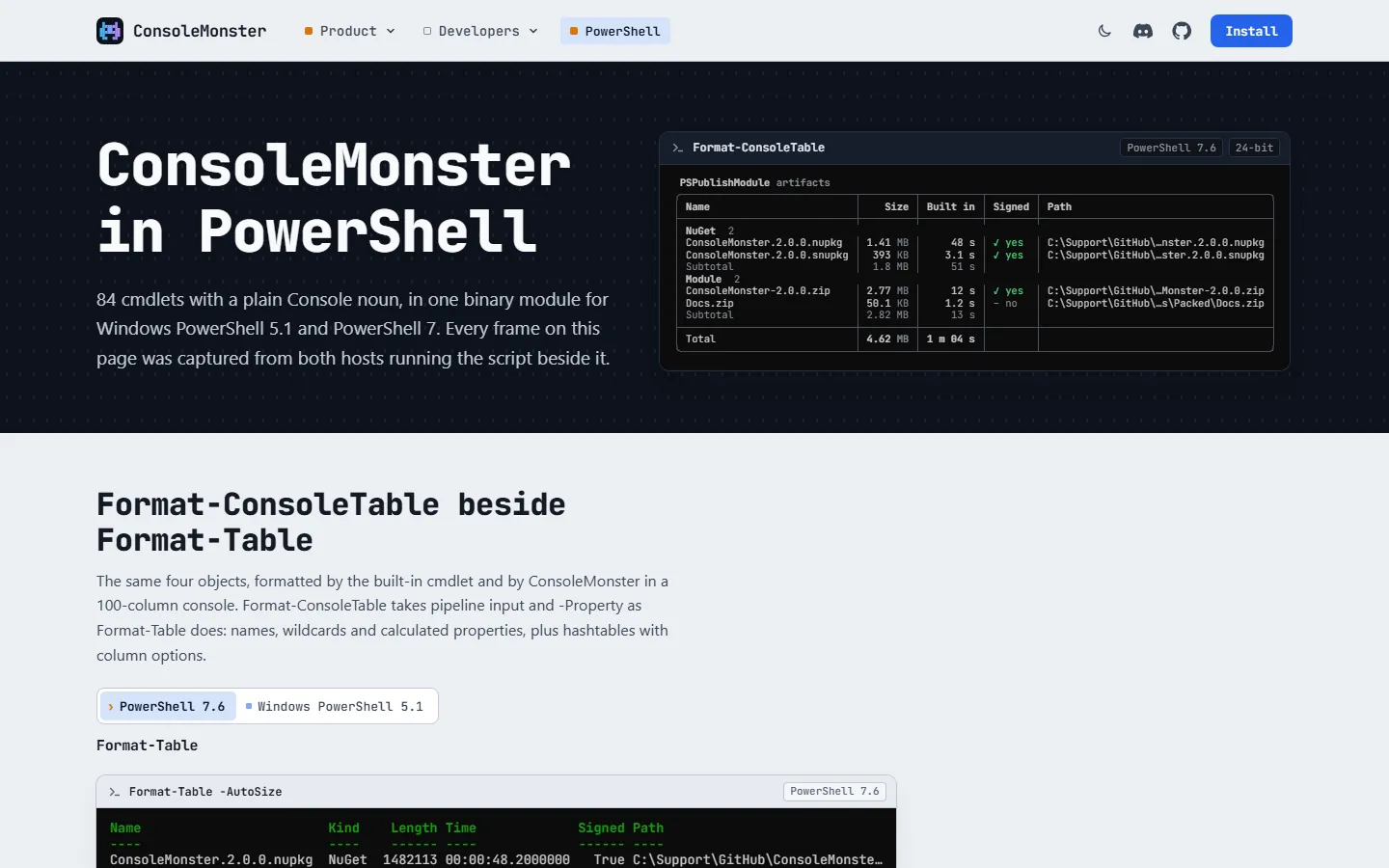
Format-ConsoleTable and the other cmdlets run in Windows PowerShell 5.1 and PowerShell 7, and write plain lines when output goes to a log.
Obtenez de l’aide, signalez un problème ou consultez la politique de support.
Ouvrir SupportDécouvrez comment Evotec traite les messages envoyés depuis ce site.
Avis de confidentialité du siteDocumentation, référence de l’API, exemples et notes de version.
Ouvrir la page du projetConsultez l’implémentation, suivez le développement ou contribuez sur GitHub.
GitHubEvotec
 AuthIMOMFA codes and recovery details in one encrypted Windows vault. →
  CanopyXSearchable tree grids and sortable data tables from C# or JavaScript, as reports that open from disk or a file share. →
  CasaRayYour Home Assistant home, calm and native on Apple devices. →
  ChangeIntelEvery public Microsoft change your team needs to act on, in one place. →
  ChartForgeXRender charts, dashboards, topology, maps and Mermaid diagrams in .NET as SVG, PNG and HTML, with no browser or JavaScript runtime. →
  CodeGlyphXCreate and read QR codes and barcodes in pure .NET, or design one in the browser. →
  HtmlForgeXHTML reports, dashboards and email built from C# or PowerShell, without writing HTML. →
  InformationBoxGive users the answers they would otherwise ask the service desk for. →
  IntelligenceXAI pull request reviews in your own GitHub Actions, plus desktop chat and libraries for .NET and PowerShell. →
  OfficeIMOOpen, convert, and edit Office and PDF documents on your desktop, in the browser, or from code. →
  SyncSEYour Microsoft 365 directory, current in every selected mailbox. →
  Tactra RemoteYour Home Assistant media room, shaped as one tactile remote. →