

blog
No account settings were returned from the Autodiscover response – Microsoft Exchange 2016
One user reported that after a name change she could no longer sign in to Outlook, even though OWA still worked fine. That detail matters because it points away from a total Exchange outage and toward a client-access or mailbox-level issue.
First clue
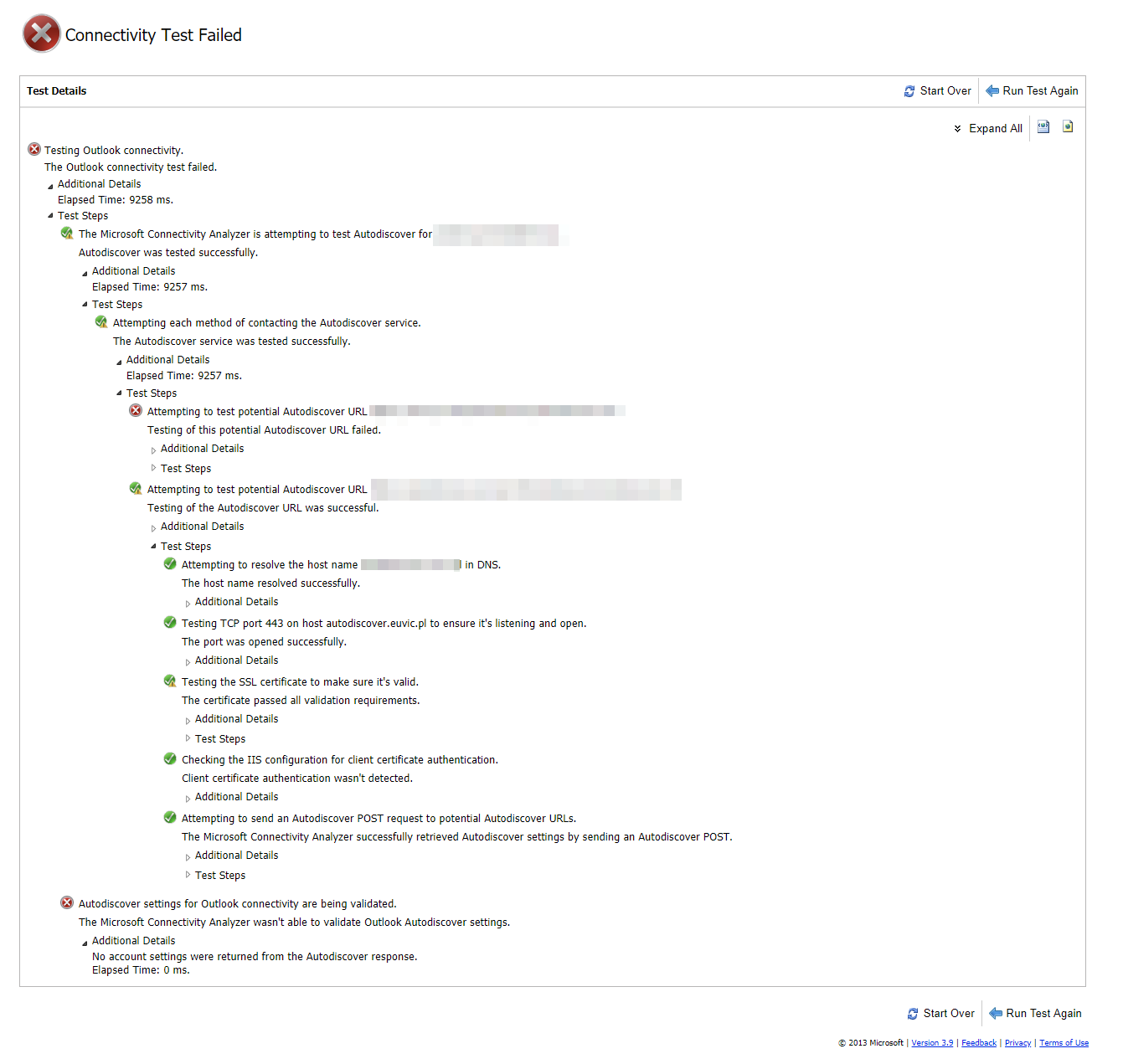
Quick testing with the Microsoft Remote Connectivity Analyzer confirmed there was a real Autodiscover problem for that user. Because she was the only person affected, it did not look like a global configuration issue.
Autodiscover settings for Outlook connectivity are being validated. The Microsoft Connectivity Analyzer wasn't able to validate Outlook Autodiscover settings. Additional Details No account settings were returned from the Autodiscover response. Elapsed Time: 0 ms.
What fixed it
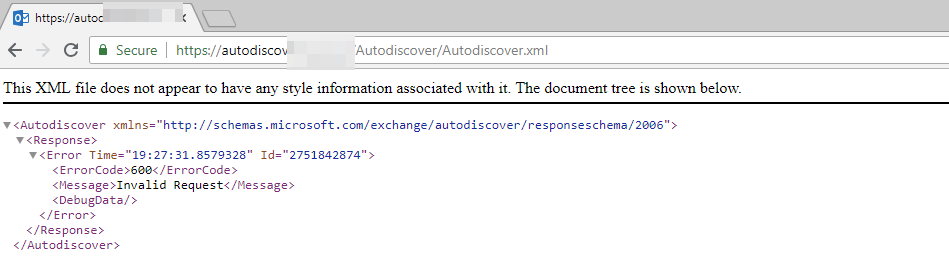
Additional verification against the Autodiscover URL confirmed the symptom, but the actual cause showed up when checking the user's Mailbox Features.
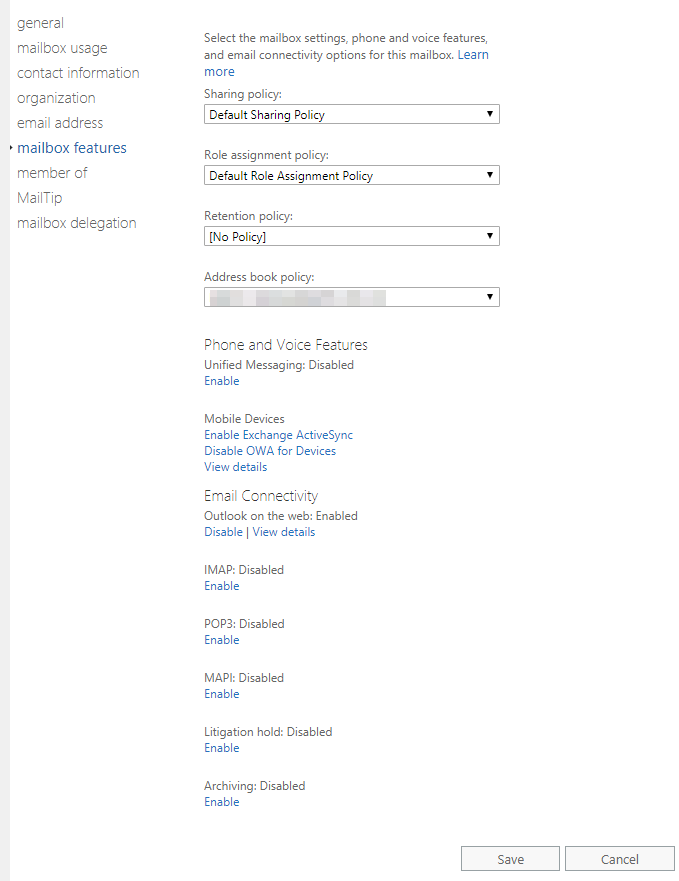
The problem was that MAPI had been disabled on the mailbox. Once it was enabled again, Outlook started working for the user.
I also wanted to make sure this was not going to surprise us again elsewhere, so I checked the rest of the environment with:
Get-CASMailbox -ResultSize Unlimited | Where { $_.MapiEnabled -eq $false }

Practical takeaway
If only one user is affected and OWA still works, look at mailbox-level client protocol settings before you spend hours on namespace or certificate troubleshooting.
Current note
Microsoft still documents MAPI as a mailbox feature that can be enabled or disabled at the mailbox level in Exchange Server. So the lesson from this post still holds: a mailbox with MAPIEnabled set to $false can create very Outlook-specific failures that look bigger than they really are.