

blog
Recovering a file from linux partition stored on VHDX on Windows 8
Sometimes a restore request is much smaller than a full disaster recovery scenario. In this case, a client only needed one deleted file back from a Linux virtual machine running on Hyper-V. That changes the recovery strategy completely.
The practical situation
After restoring the VHDX image from backup and mounting it in Windows, the next challenge was simply reading the Linux partition so we could copy out the file we needed.
For that we used a small tool called Ext2Read. There are other options, but this one was convenient because it was a lightweight executable that did not require a full install on the server.
Once launched, it detected the attached Linux partitions automatically and let us browse the filesystem.
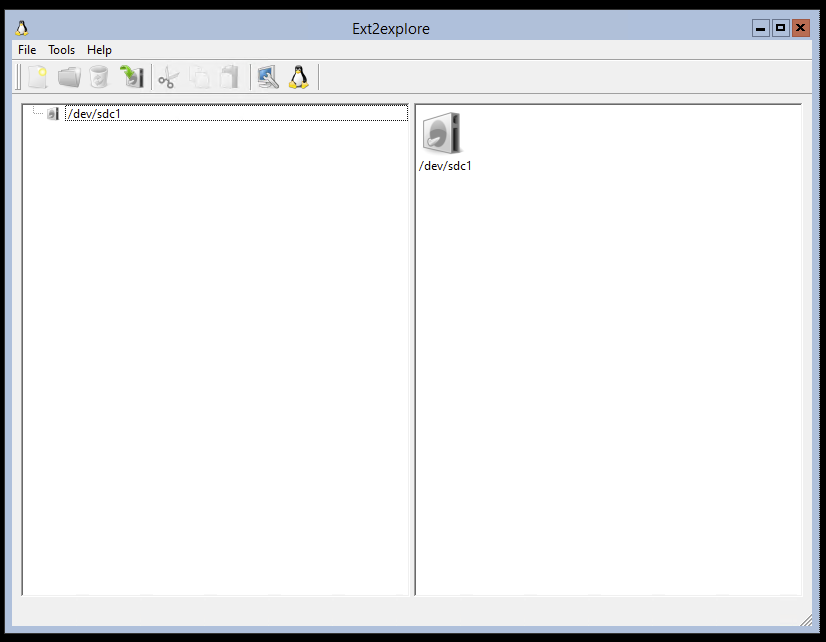
From there the process was simple:
- mount the restored VHDX in Windows
- open the Linux partition in the filesystem browser
- navigate to the required path
- save the file locally
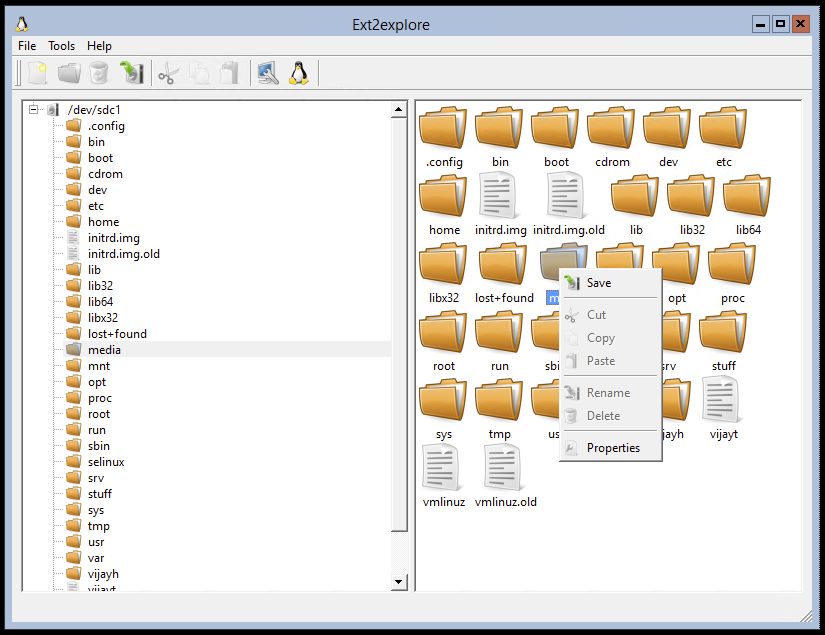
Why this approach is useful
When the request is "recover a single file," this kind of workflow can save a lot of time:
- no need to boot the full VM
- no need to do a complete restore just to inspect one path
- no need to expose the recovered machine to the network if all you want is a file copy
That makes it a handy middle ground between bare-metal recovery and "sorry, we can only restore the whole machine."