blog
Microsoft Exchange 2013 – Room doesn’t respond to meeting requests
Our Client's domain** allow external companies** to book room resources from their domain not based on Microsoft Exchange. They do that by sending an email to specific room. It works by either sending confirmation or denying the booking. Unfortunately they reported things stopped working. And indeed upon first verification things didn't work even thou few day ago it was tested and working properly.
❗ Problem Description
After testing from external domain it indeed doesn't respond anymore. However it doesn't respond to internal emails as well. Which poses a big problem to room management for the company. This company uses Microsoft Exchange 2013 with CU 14 so it's up to date. So why it doesn't work?

🔹 First Solution – That used to work for us
Solutions is simple. Moving **arbitration **mailboxes to another database forces Microsoft Exchange to start processing meeting requests again.
- Microsoft Exchange Approval Assistant
- Microsoft Exchange Federation Mailbox
- Microsoft Exchange
- Microsoft Exchange Migration
Get-Mailbox -Arbitration | New-MoveRequest -TargetDatabase "MailboxDatabase2"

Those mailboxes are special mailboxes used by Exchange and are required for proper functioning of Resource Mailboxes among other things. After we start the move we can verify how things are going with following command.
Get-MoveRequest | ft DisplayName, Name, Status, SourceDatabase, TargetDatabase -AutoSize

After that you can do 2 things to make sure things are fixed:
- Activate Database on another server holding it's copy
- Restart Microsoft Exchange Mailbox Assistants service
🔹 Second solution – that solved our case
If the first solution didn't work for you most likely this one will. This one is really weird and I'm not sure why it behaves like that but for some reason some room mailboxes suddenly got new option Use customized setting to accept or decline booking requests.
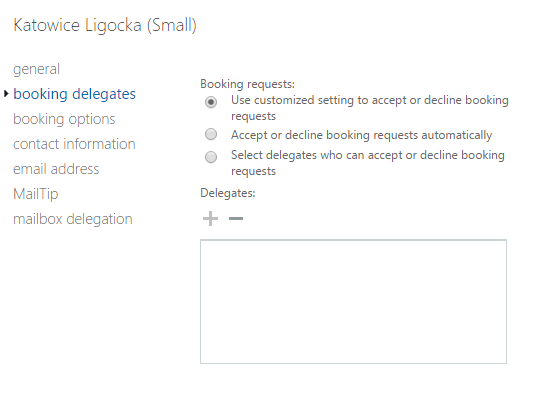
What is a different is that standard window showing Room Mailbox and Booking Delegates doesn't have that option present.
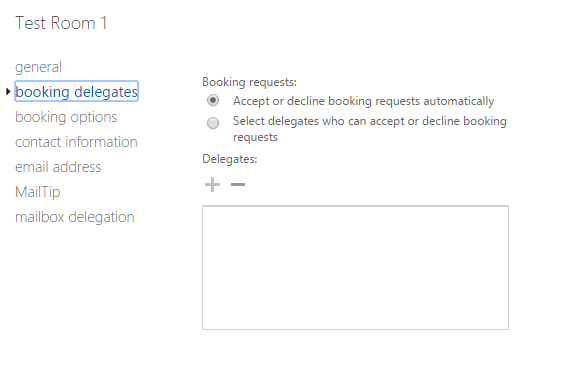
What's weird about it is that after you save the setting is that when you change it to **Accept or decline booking request automatically **you never get to choose it again.
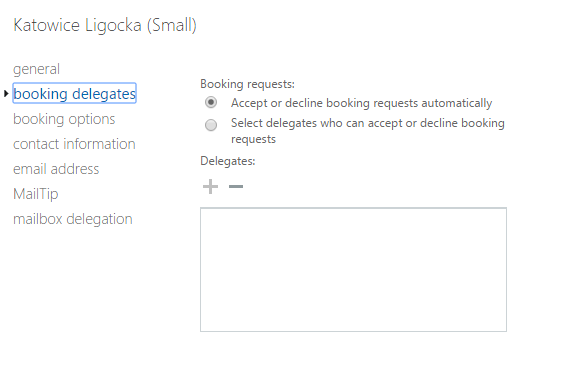
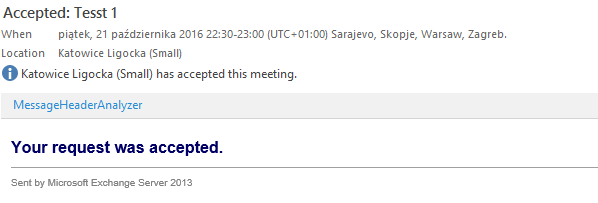
After setting this setting on room mailboxes things started to work again.
📝 Notes
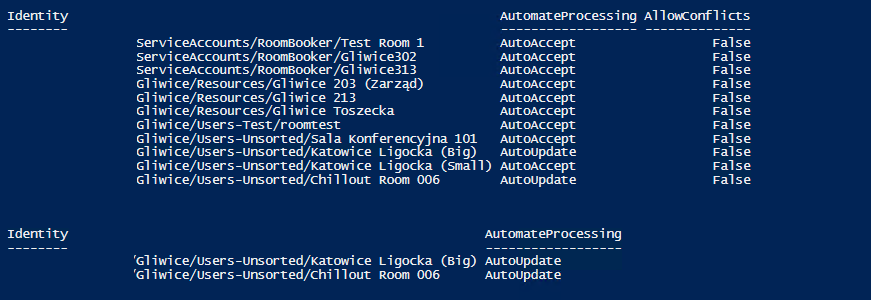
Most likely newly created Room Mailboxes are not having their AutoAccept policy set. So if you're creating new room mailboxes make sure you get this set before going production with them. You can quickly check what kind of Automate Processing you've turned on for your room mailboxes with following commands. First one displays all room mailboxes, second one displays only those with AutomateProcessing set to AutoUpdate.
get-mailbox -RecipientTypeDetails "RoomMailbox" | Get-CalendarProcessing | ft Identity,AutomateProcessing, AllowConflicts -AutoSize
get-mailbox -RecipientTypeDetails "RoomMailbox" | Get-CalendarProcessing | Where { $_.AutomateProcessing -eq "AutoUpdate" }
And if you wish to fix it all in one go:
get-mailbox -RecipientTypeDetails "RoomMailbox" | Get-CalendarProcessing | Where { $_.AutomateProcessing -eq "AutoUpdate" } | Set-CalendarProcessing -AutomateProcessing "AutoAccept"